
The Mac screenshot tool for safe sharing.
ScreenLeX is a Mac screenshot tool with automatic on-device redaction, polished framing, and in-image translation — built for screenshots that are safe and ready to share.
Built with
ScreenLeX feature highlights
Smart Redaction
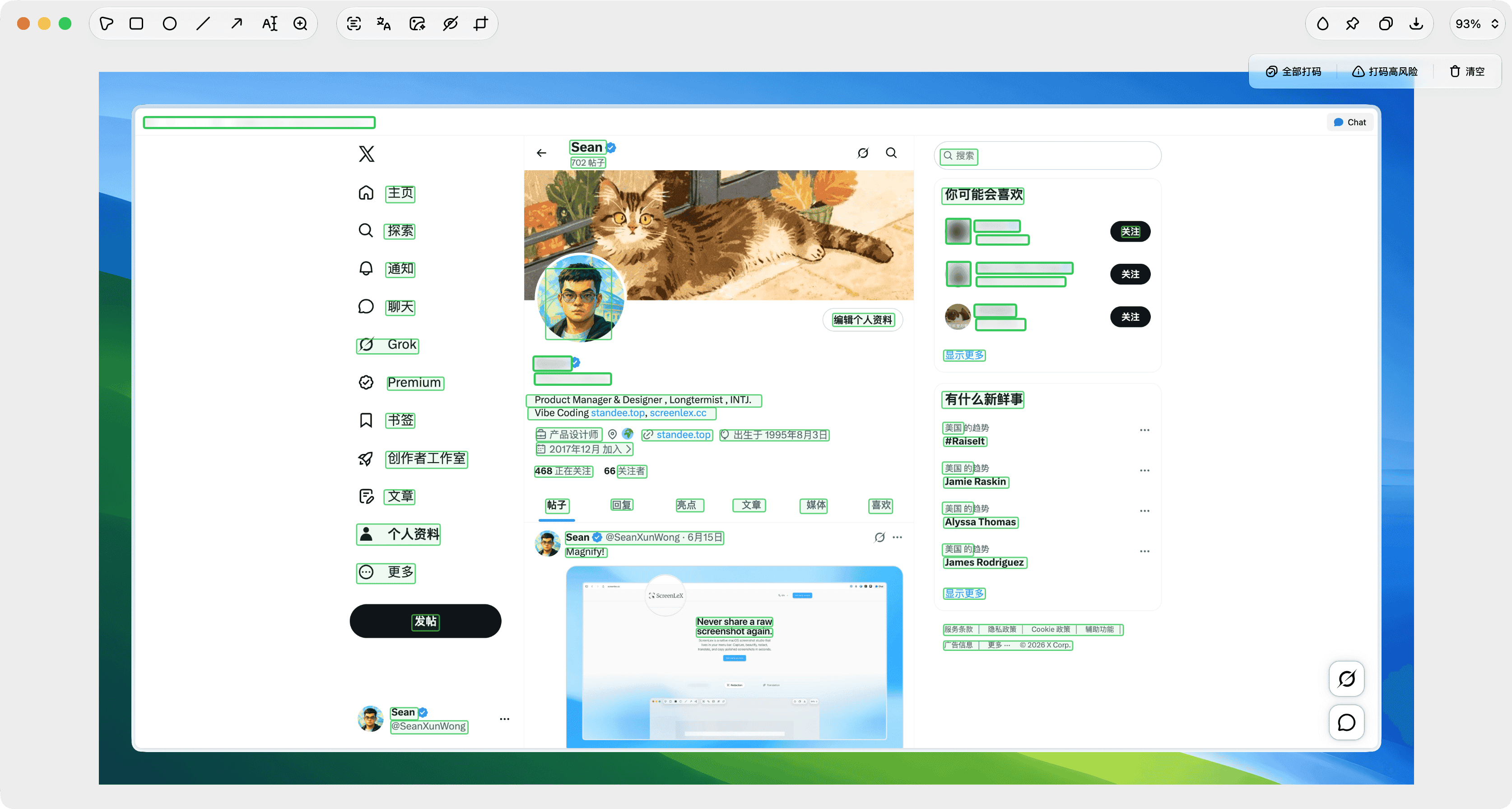
Automatically detect emails, phone numbers, IDs, credit cards, API keys, names, addresses, and avatars, then hide them with precise redaction blocks before you copy, export, or share—so sensitive details do not slip into anything you send.

Auto-Framing
Turn raw captures into polished visuals with clean padding, rounded corners, shadows, borders, and custom backgrounds.

OCR Translation
Recognize text inside screenshots and translate it with ScreenLeXAI, your own API keys, or local Apple Translation on supported macOS versions.

Edit & Pin
Fine-tune screenshots after capture with cropping, arrows, shapes, text annotations, OCR copy, export, and pinned floating previews.

Labels & Watermark
Add your Mac model, brand name, or project label to screenshots so every shared image looks intentional and professional.
Frequently Asked Questions
Quick answers about ScreenLeX, screenshot privacy, beautification, in-image translation, and macOS workflows.
General
Privacy & Translation
Can't find what you're looking for? Contact our customer support team
Ready to level up your screenshots?
Join the ScreenLeX early access list and get notified when the macOS release opens.